Work Flows

When a workflow is activated, it would be helpful to see how many people were contacted through that specific workflow for each individual property.
For example, when a new property is listed and an automated email is sent to buyers whose enquiry criteria match the property, it would be useful to see something like: “200 contacts emailed for New Listing.”
The same could apply to other workflows, such as: “250 contacts emailed regarding Price Change.”
At the moment, seeing an overall total such as 20,000 emails sent across all new listing workflows doesn’t provide much insight into the reach of a particular property. It would be much more useful to have a breakdown showing how many contacts each individual listing reached through each workflow.
-

Thanks for the suggestion Lisa.
In your example of when a new property is listed, we do have a feature that would show you this information. It's called Matching Contacts. On the Listing Record, right hand side there is a section titled Related Lists. See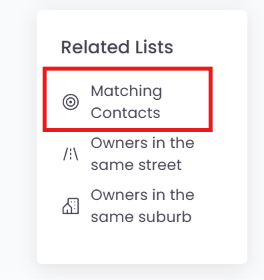 If you click Matching Contacts, this will show the number of contacts that match this listing and if you have your alerts workflows on, this will show the number of contacts who would have received the new listing. Also, you can re-market to these contacts.
I believe using Matching Contacts search will give you the insights you are looking for in this particular use case.
For other workflows, they are triggered by changes to listings and will show the contacts who have enquiried and inspected. These numbers are shown on top of the Buyers / Tenant lists on the Listing. So if a workflow was triggered against a listing the total number you are looking for could be found on the screen?? See example below.
Please sign in to leave a comment.
Comments
1 comment